Product

Keep the day connected to the project.

timecue brings crews, project work, and daily records together so the site and office work from the same picture.

How the record is built

Plan the work. Record the day. Review the project.

The workflow is simple: make the plan, put work in the right project, record what was completed, then use that record when the next decision is needed.

01 / Start with the right place

Start with the part of the work you need to see.

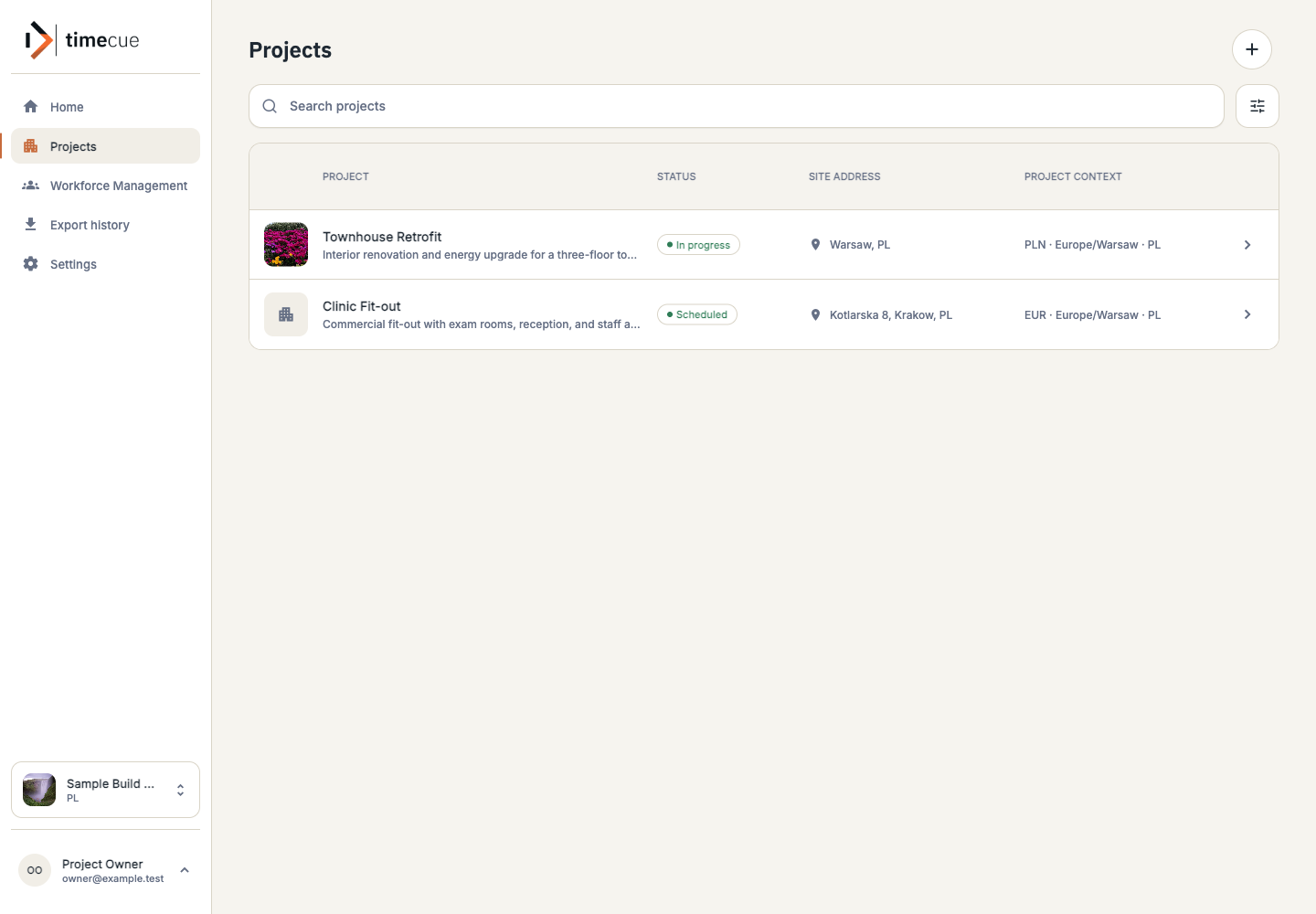
Open projects, people, or worklogs from one clear starting point. The next view begins with the context you chose.

  • 01Projects and current work
  • 02People and assignments
  • 03Worklogs and daily records
Modules
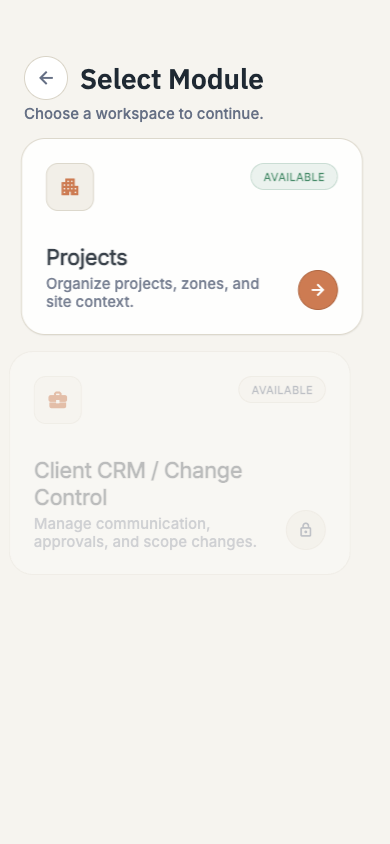
timecue module selection showing Projects, Workforce Management, and Worklogs.

02 / Selected project

Keep the selected project in view.

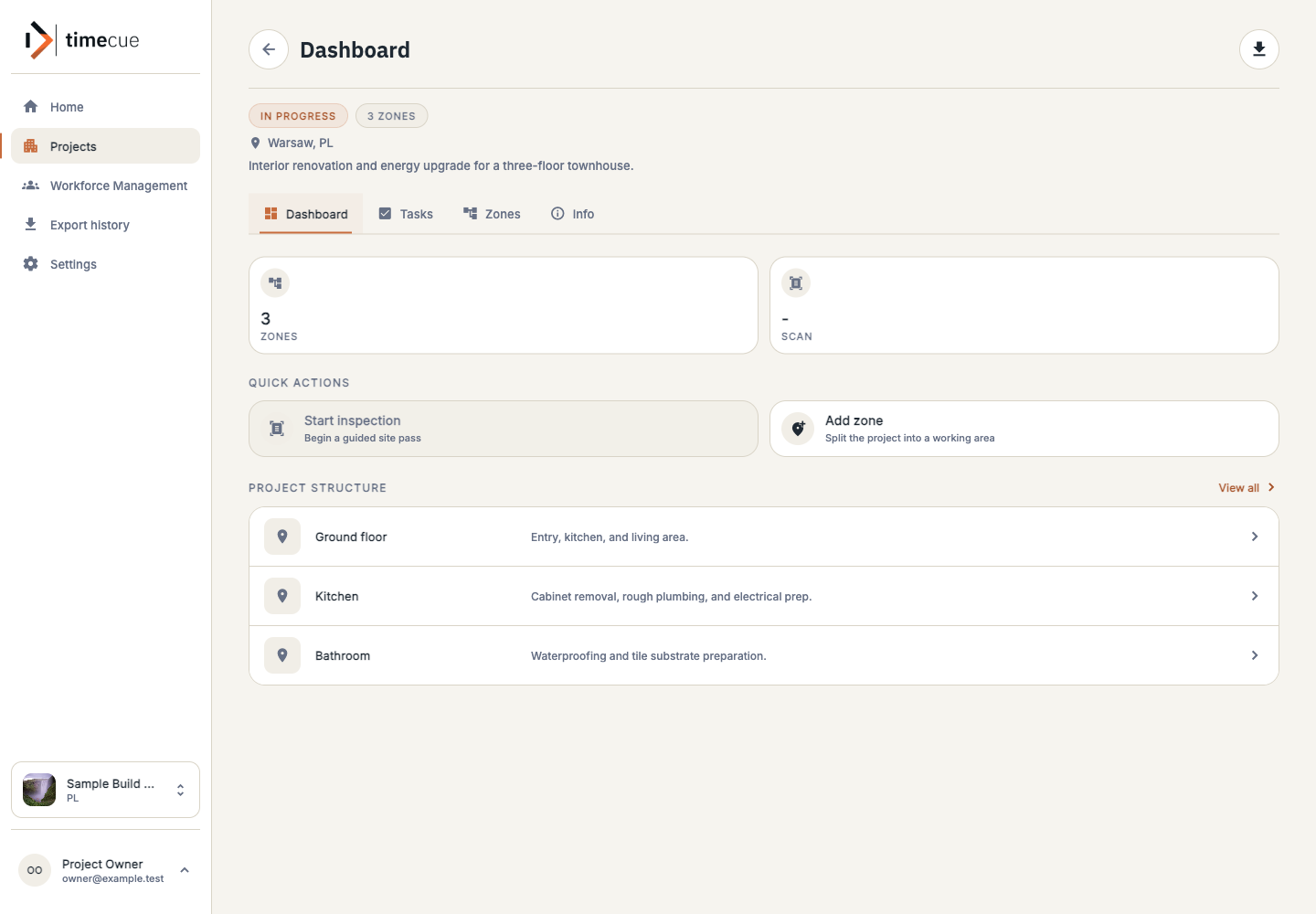
Once a project is open, its tasks, zones, status, and recent activity stay together so the team can act on the same context.

  • 01Project history
  • 02Tasks and zones
  • 03Recent activity

03 / Before work starts

Plan the crew before work starts.

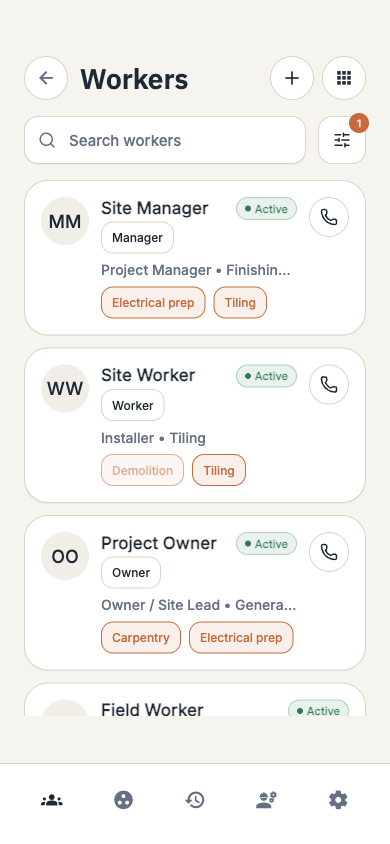
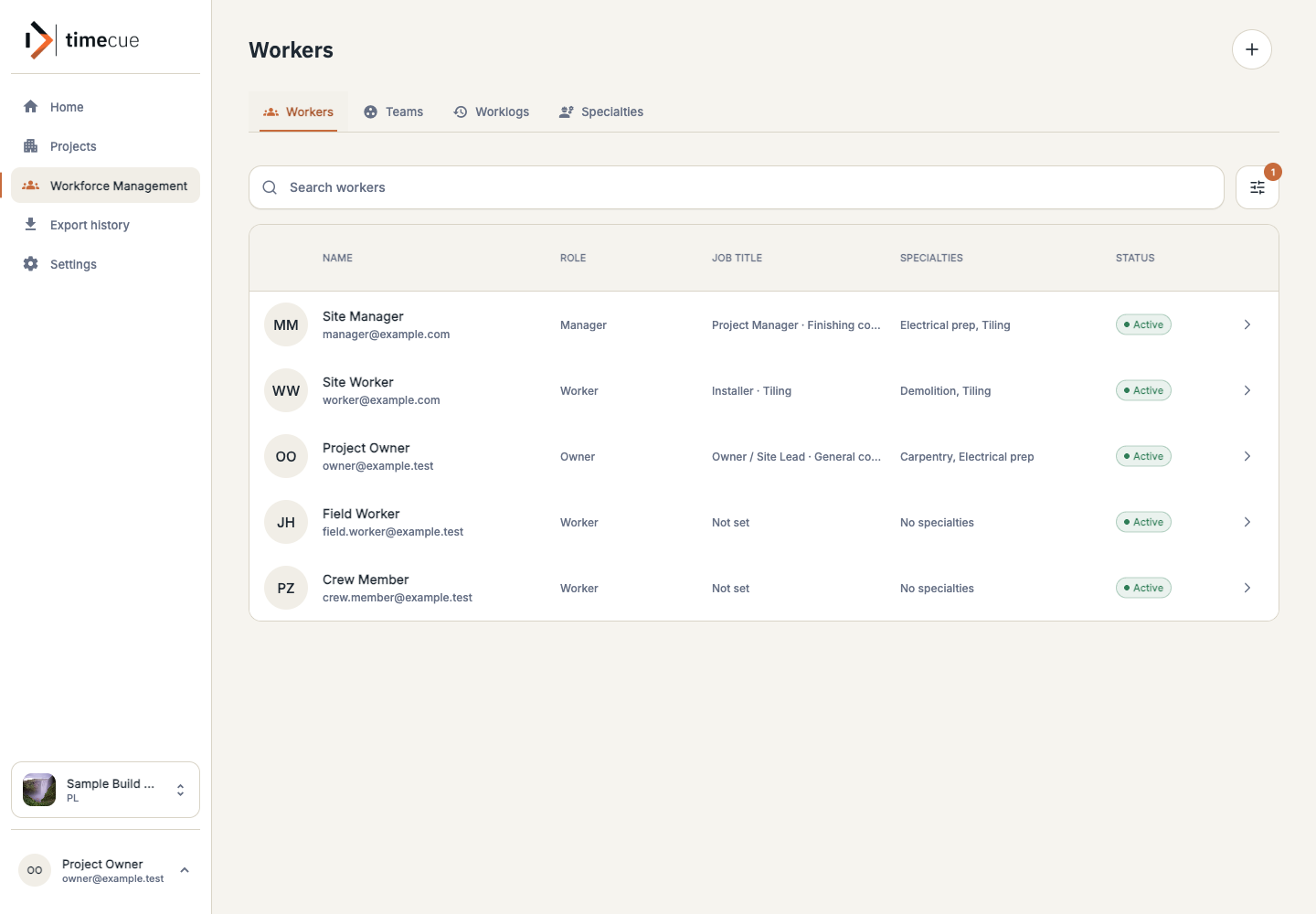
A site manager can check who is available for a kitchen refurbishment before assigning the morning’s work.

  • 01See the available crew
  • 02Set the day’s assignments
  • 03Give every person a clear place to start
Crew plan
timecue workforce view showing workers, availability, and team information.

04 / End of shift

Record the work before the details fade.

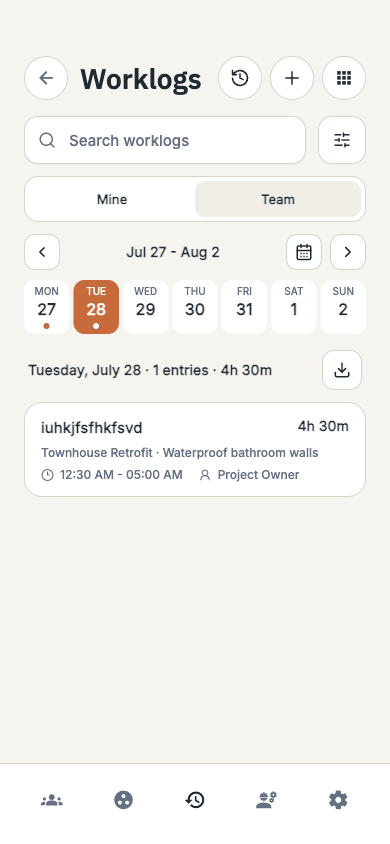
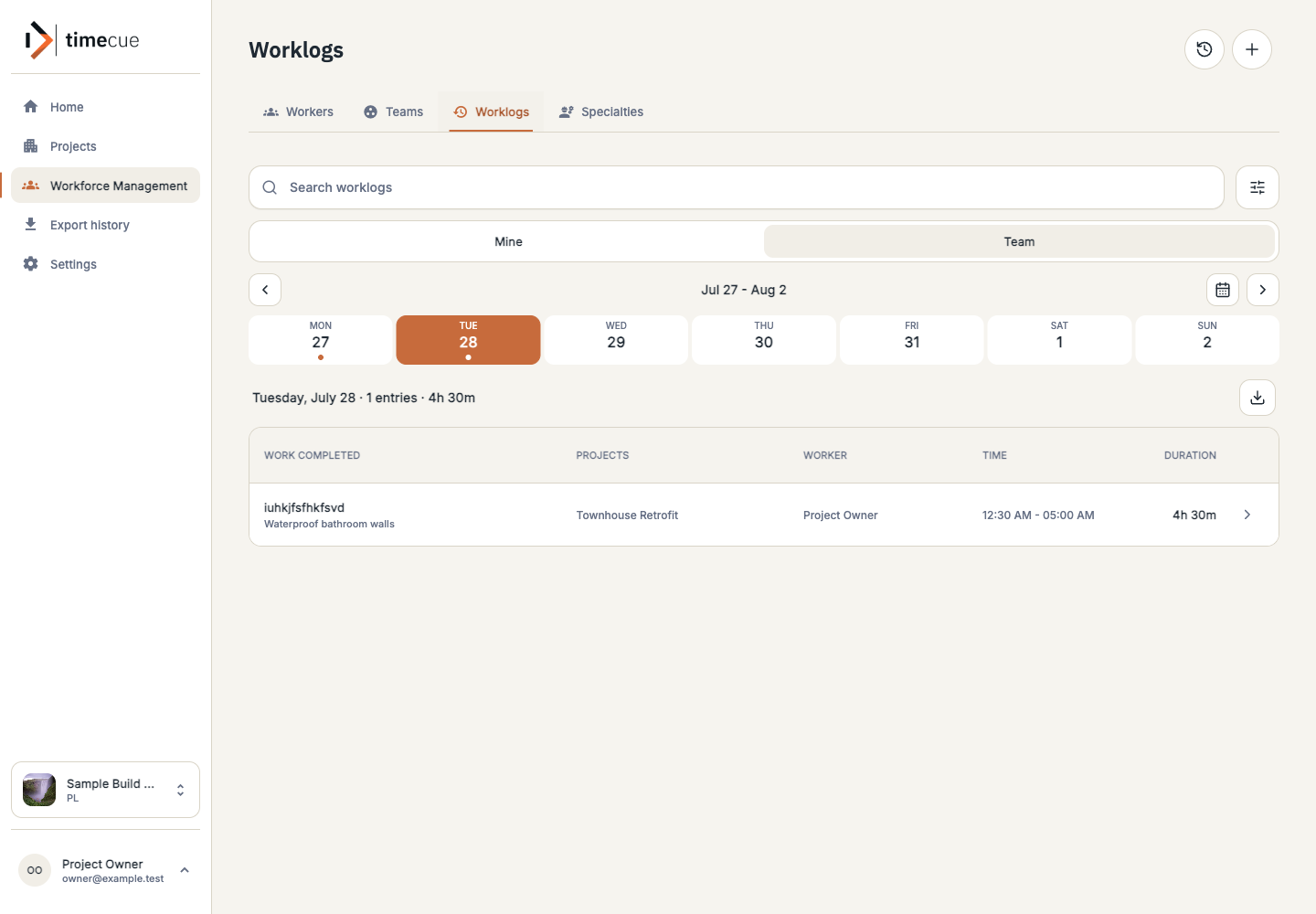
After the shift, cabinet removal and electrical preparation can be recorded against the project and task they belong to. Hours then have useful context.

  • 01What was completed
  • 02Where the work took place
  • 03Who reported the work
Worklogs
timecue worklogs view showing daily work entries connected to projects and workers.

05 / Next decision

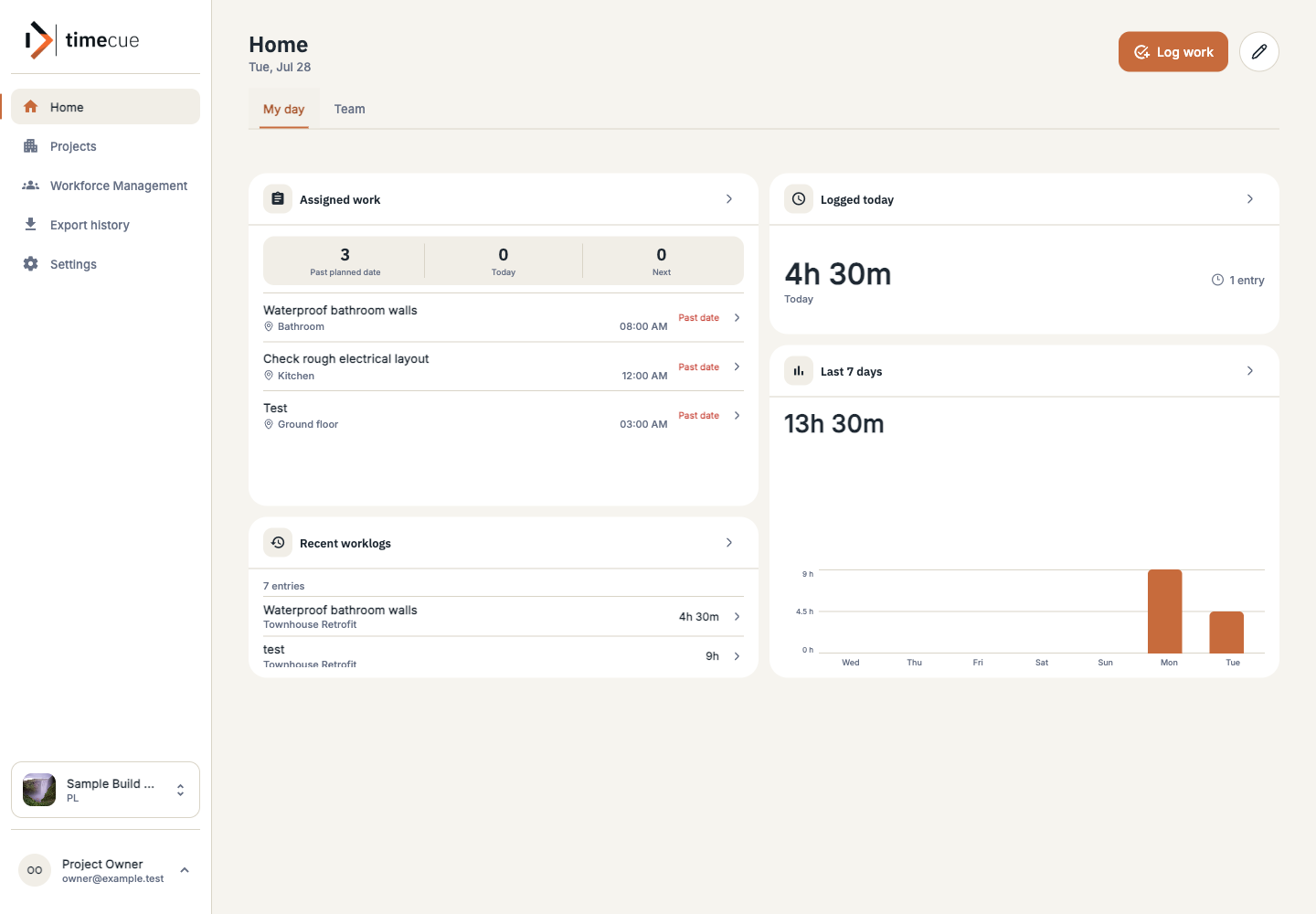
Open the project and see what changed.

The office can read today’s work alongside remaining tasks, rather than asking the site team to reconstruct the day from memory.

  • 01Recent work stays visible
  • 02Open tasks are easy to find
  • 03The next conversation starts with context
Project review
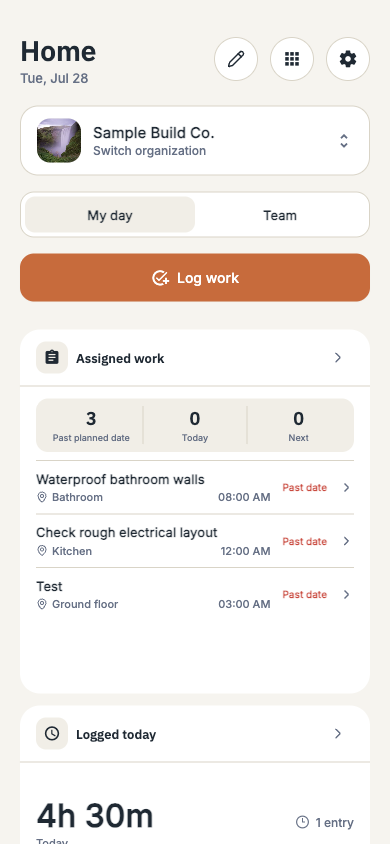
timecue dashboard showing project activity, tasks, zones, and current status.

01 / Start with the right place

Start with the part of the work you need to see.

Open projects, people, or worklogs from one clear starting point. The next view begins with the context you chose.

  • 01Projects and current work
  • 02People and assignments
  • 03Worklogs and daily records

02 / Selected project

Keep the selected project in view.

Once a project is open, its tasks, zones, status, and recent activity stay together so the team can act on the same context.

  • 01Project history
  • 02Tasks and zones
  • 03Recent activity

03 / Before work starts

Plan the crew before work starts.

A site manager can check who is available for a kitchen refurbishment before assigning the morning’s work.

  • 01See the available crew
  • 02Set the day’s assignments
  • 03Give every person a clear place to start

04 / End of shift

Record the work before the details fade.

After the shift, cabinet removal and electrical preparation can be recorded against the project and task they belong to. Hours then have useful context.

  • 01What was completed
  • 02Where the work took place
  • 03Who reported the work

05 / Next decision

Open the project and see what changed.

The office can read today’s work alongside remaining tasks, rather than asking the site team to reconstruct the day from memory.

  • 01Recent work stays visible
  • 02Open tasks are easy to find
  • 03The next conversation starts with context
Modules
timecue module selection showing Projects, Workforce Management, and Worklogs.
Selected project
timecue project view showing project status, tasks, zones, and recent activity.
Crew plan
timecue workforce view showing workers, availability, and team information.
Worklogs
timecue worklogs view showing daily work entries connected to projects and workers.
Project review
timecue dashboard showing project activity, tasks, zones, and current status.

01 / 05

Start with a current project

See timecue against the way your site already works.

Tell us how you plan crews, manage project work, and collect daily updates. We will show the current product and explain the pilot process.

A pilot starts with

  • One current project
  • The people who plan and do the work
  • The handoff you want to make clearer
Join the pilot Contact the team The roadmap separates what is available today from planned work.